Git Integration#
Every project is backed by a git repository. Nebula supports multiple git providers and handles repository cloning, webhook creation, and branch management.
Supported Providers#
| Provider | Repository Listing | Webhook Creation | Signature Verification |
|---|---|---|---|
| GitHub | Yes | Yes | HMAC-SHA256 |
| GitLab | Yes | Yes | Token-based |
| Gitea | Yes | Yes | HMAC-SHA256 |
Project Setup Wizard#
When creating a new project, the setup wizard walks you through git configuration:
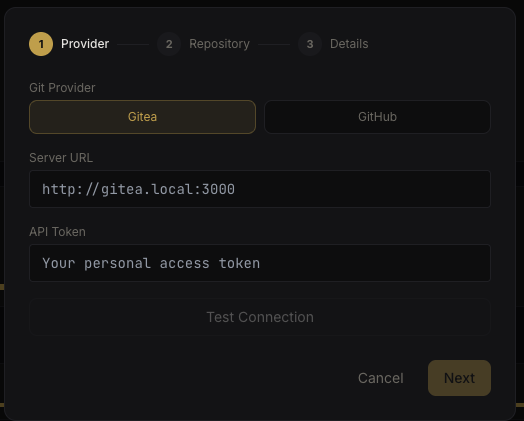 Project setup wizard - provider selection
1. Choose Provider#
Select your git hosting platform and enter a personal access token. Nebula validates the token and checks for required permissions.
Nebula validates the token and shows the confirmed permissions:
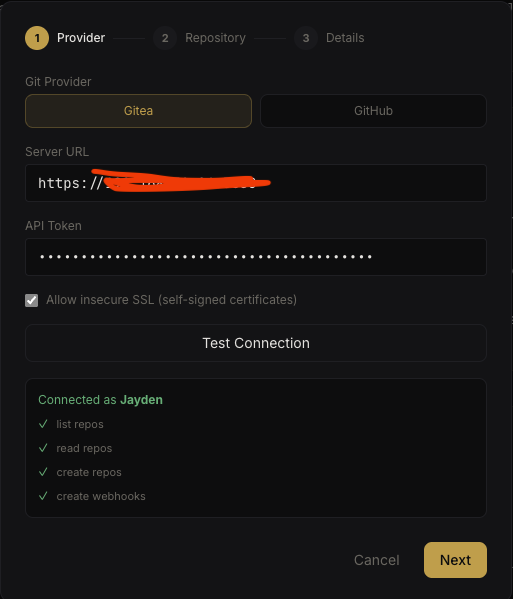 Provider connection validated
2. Select Repository#
Browse and search your accessible repositories. Nebula lists repos with pagination and search filtering. You can link an existing repo or create a new one.
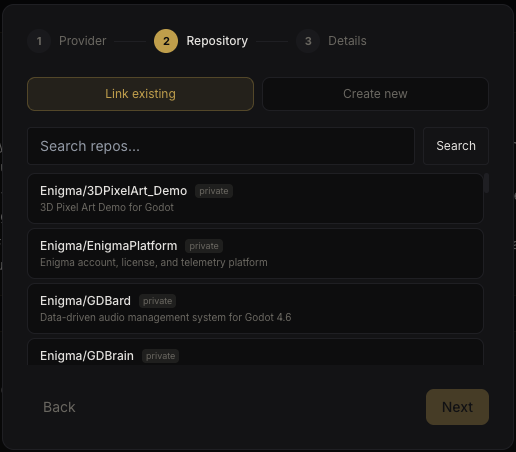 Project setup wizard - repository selection
3. Project Details & Coordinator#
Set the project name, description, and assign a coordinator agent.
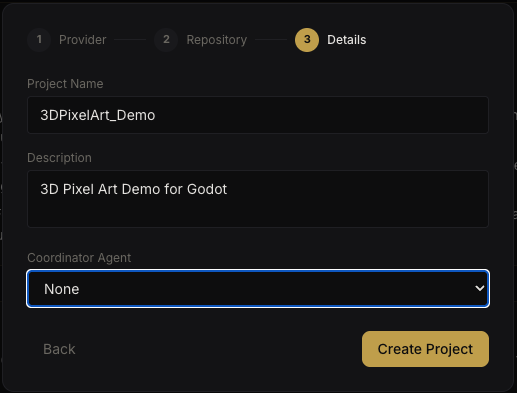 Project setup wizard - details and coordinator
Nebula creates a webhook in the target repository automatically. The webhook fires when code is pushed, triggering assigned agents to process changes.
You can test the webhook connection from the readiness checklist before launching the project.
Per-Agent Worktrees#
When an agent works on a project, it gets an isolated git worktree per branch:
/data/orgs/{org_id}/agents/{agent_id}/projects/{project_id}/
├── main/              # main branch worktree
├── feature/auth/      # feature branch
└── fix/bug-123/       # bugfix branch
This means:
- Multiple agents can work on different branches concurrently without conflicts
- Work on the same branch by the same agent is serialized (queued)
- Each worktree has its own working copy — no shared mutable state
Integration Links#
Projects can link to external resources for knowledge base fan-out. When agents search memory, queries also fan out to linked services:
- YouTrack — issue tracker search
- Confluence — documentation search
- Notion — workspace search
Configure integration links in Project Settings.
 External integrations configuration
Project Settings#
The Settings tab provides auto-merge configuration, agent assignment with roles and concurrency limits, and external integration management.
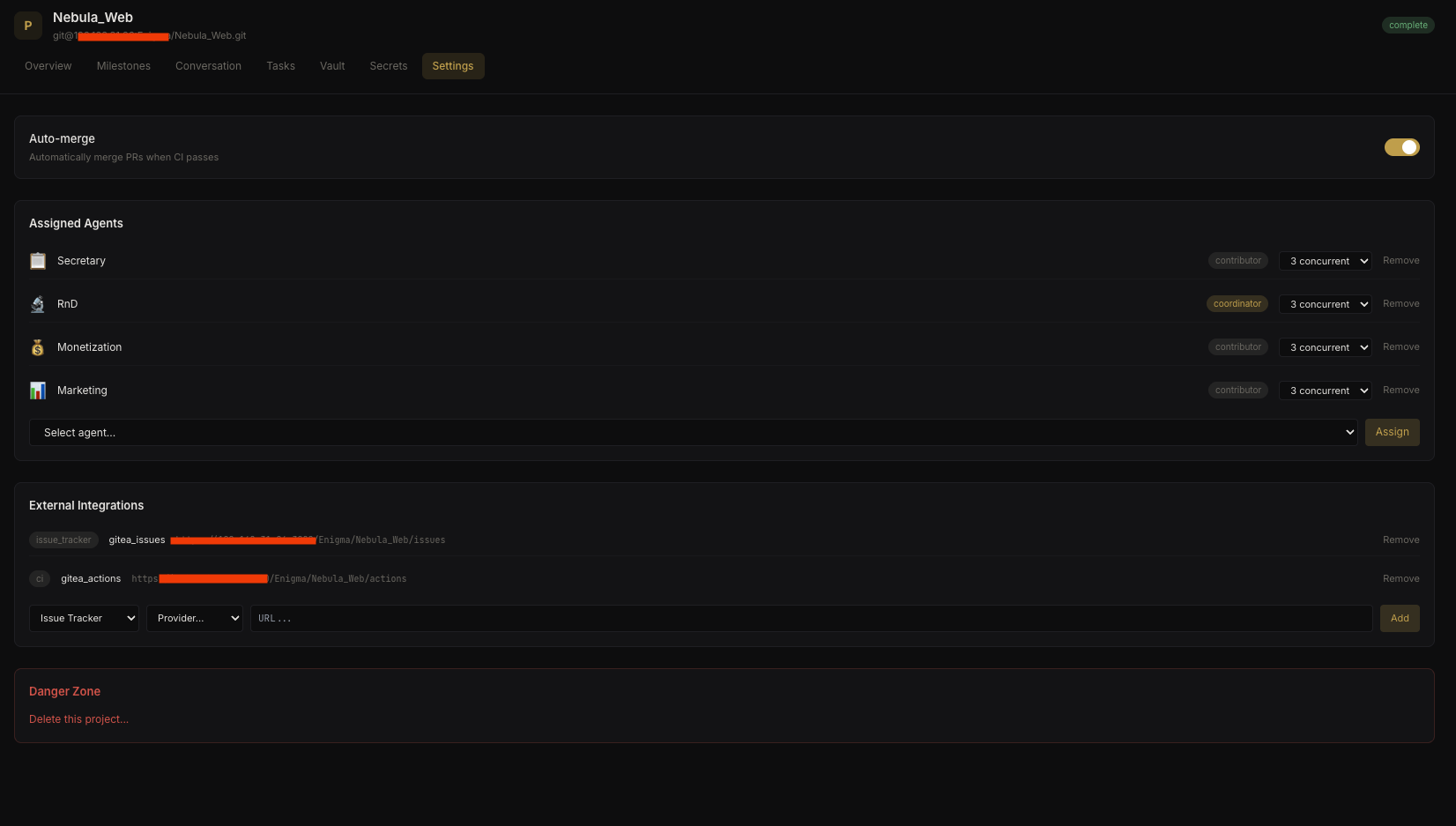 Project settings
Auto-Merge#
Projects can enable auto-merge in settings. When enabled, completed deliverable branches are automatically merged back to the base branch after review.