Milestones & Deliverables#
Projects use a two-level hierarchy to organize work: milestones contain deliverables. This gives you a clear breakdown of who's doing what and how far along the project is.
Milestones#
A milestone represents a significant chunk of work — a feature, a phase, or a release target. Each milestone has:
- Title — what this milestone achieves
- Description — details and acceptance criteria
- Status — not started, in progress, or done
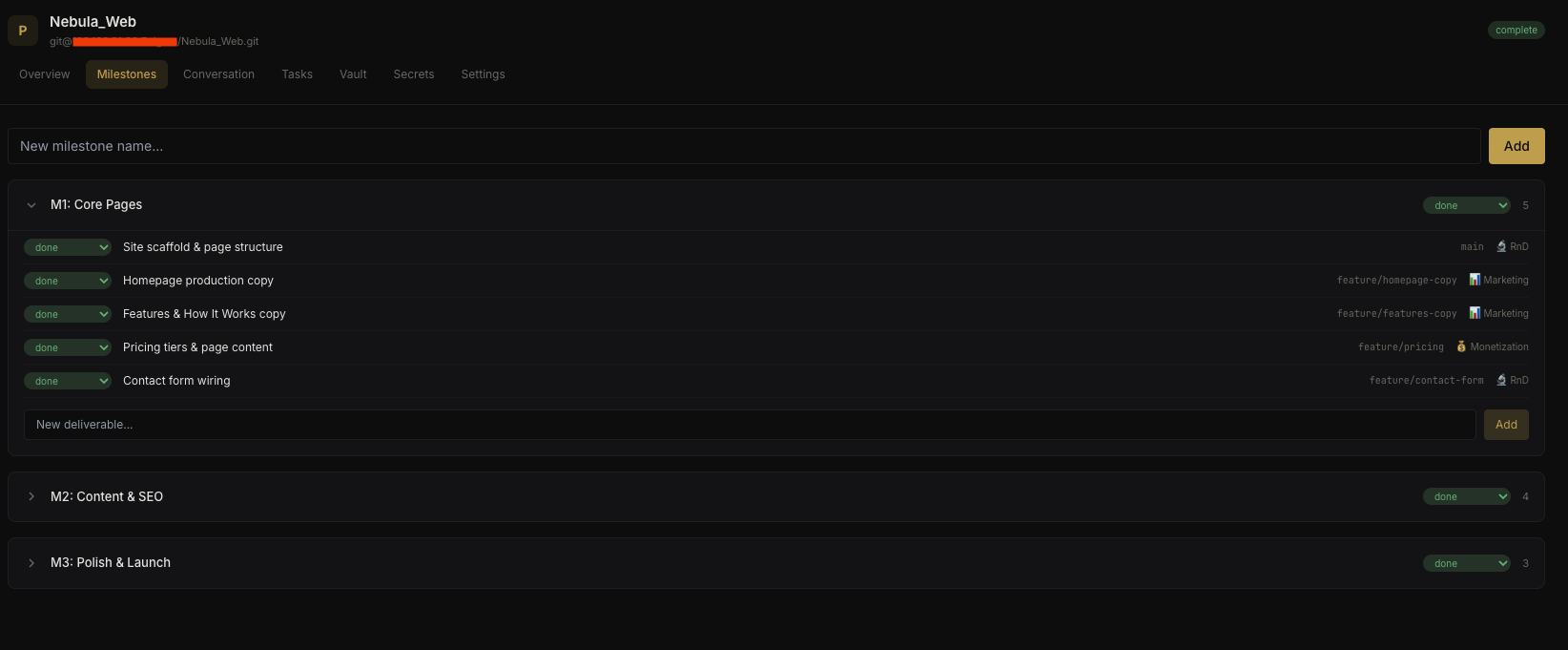 Milestones view
Create milestones in the Milestones tab of the project view.
Deliverables#
Each milestone breaks down into deliverables — individual work items assigned to agents. A deliverable has:
- Title — specific task description
- Description — implementation details
- Assigned agent — which agent handles this work
- Branch — git branch for the work
- Status — not started, in progress, or done
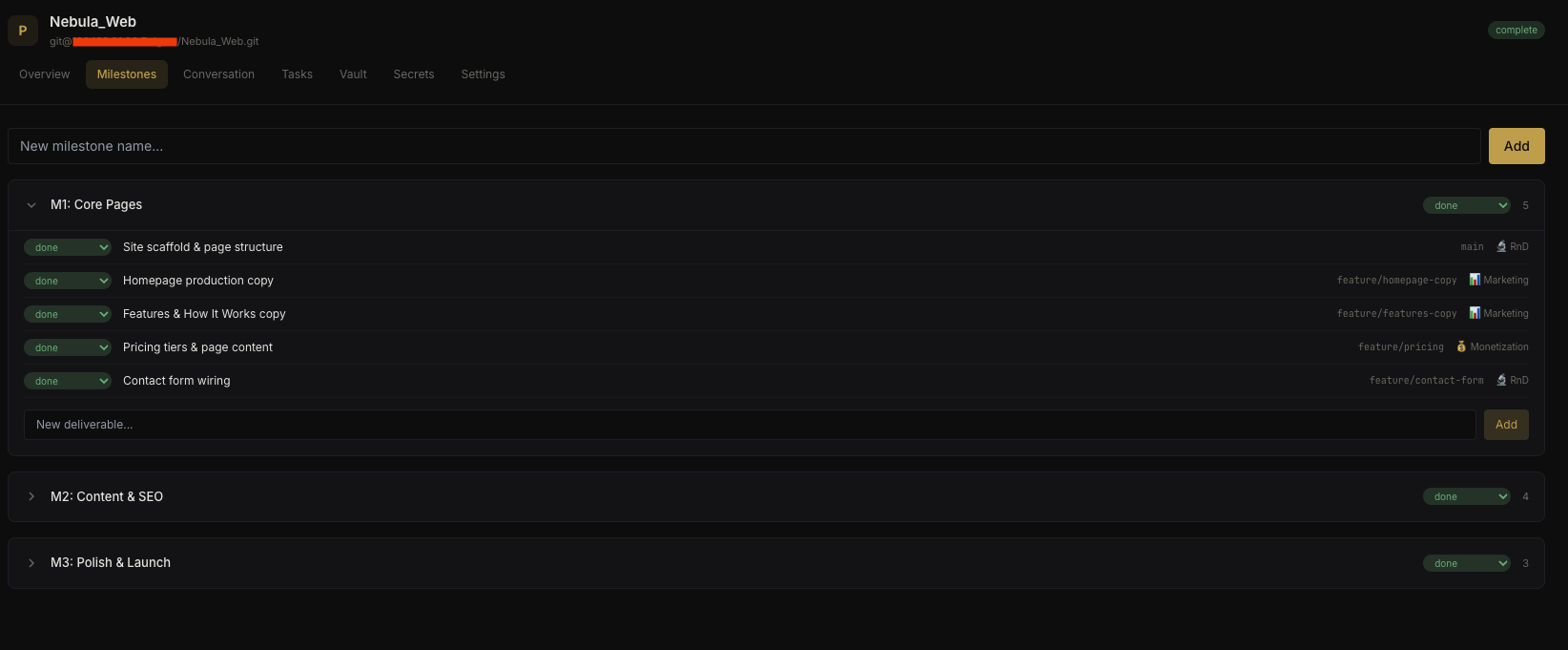 Deliverables within a milestone
Progress Tracking#
The project overview shows aggregate progress across all milestones and deliverables. You can see at a glance:
- How many milestones are complete vs. in progress
- Which agents have outstanding deliverables
- Overall project completion percentage
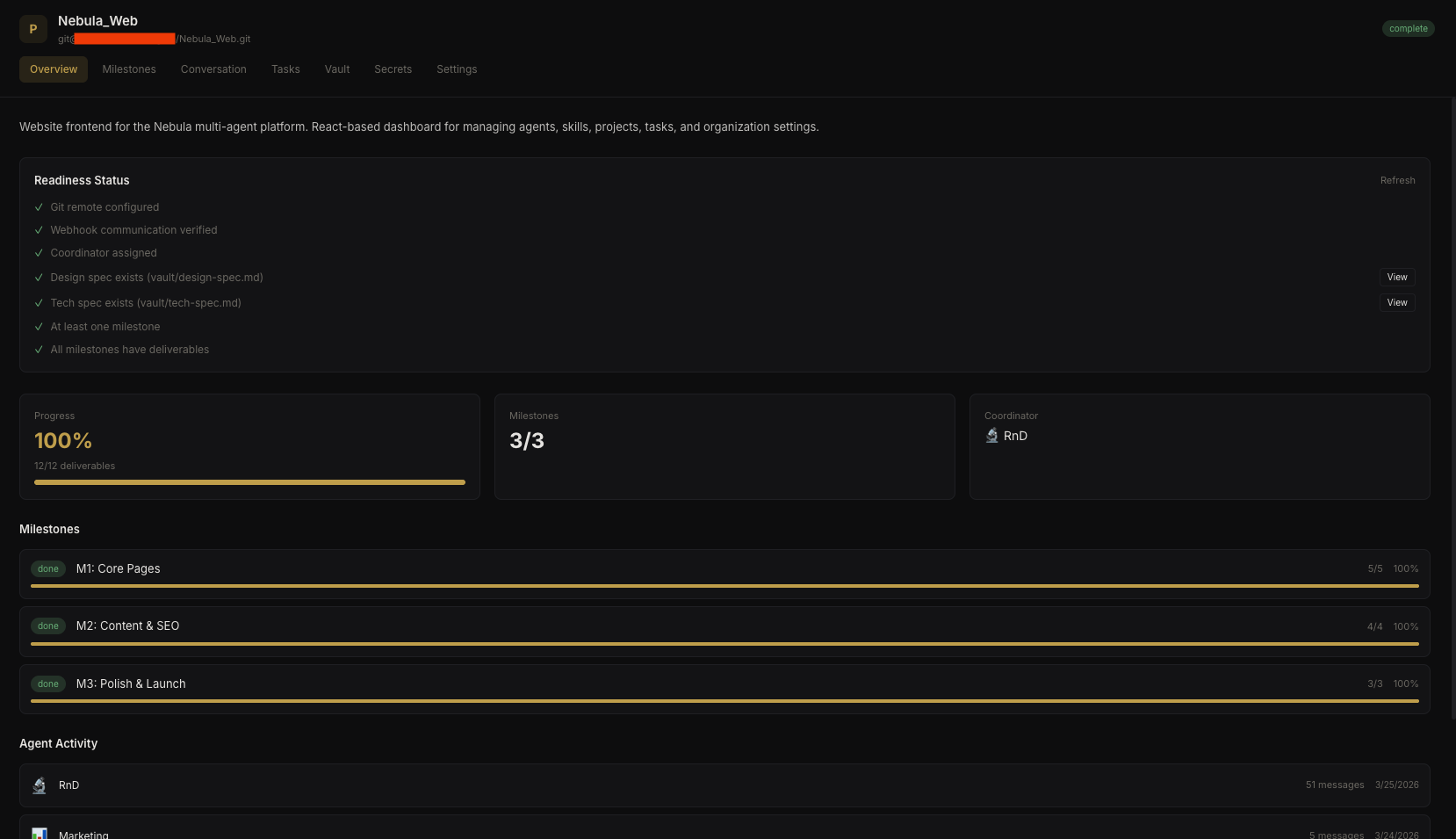 Project progress overview
Workflow#
A typical project workflow:
- Create milestones — break the project into logical phases
- Add deliverables — assign specific tasks to agents with branch names
- Launch the project — agents begin working on their assigned deliverables
- Track progress — monitor status updates in the project overview
- Close milestones — mark milestones as done when all deliverables are complete