Organization Settings#
Organization settings control defaults and shared configuration for all agents. Access them from Settings in the sidebar.
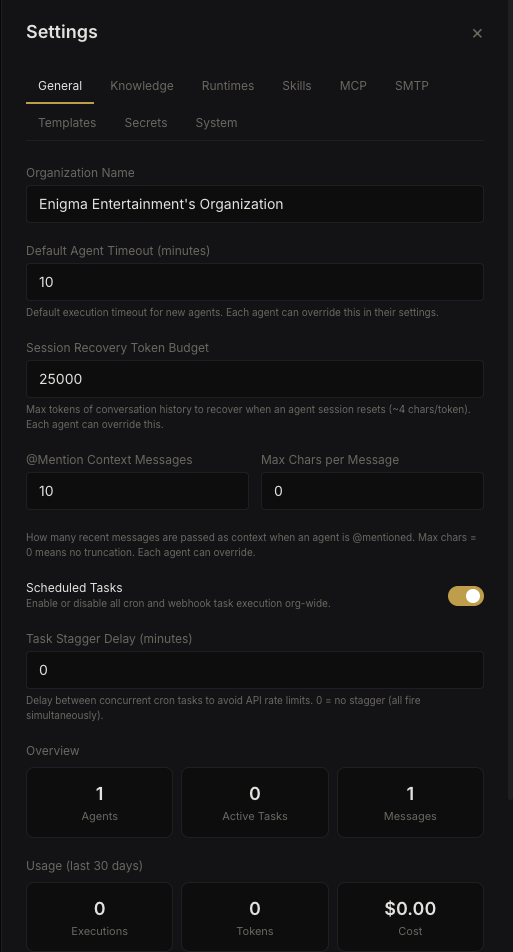 Organization settings
General#
Default values applied to all agents unless overridden at the agent level:
| Setting | Default | Purpose |
|---|---|---|
| Default timeout | — | Max execution time per agent invocation |
| Task stagger delay | — | Delay between consecutive cron task executions |
| Cron enabled | On | Master on/off for all scheduled tasks |
| Default runtime | Auto | Org-wide default CLI runtime |
| Recovery token budget | — | Token budget for error recovery per execution |
| Mention context messages | 10 | Messages included when an agent is @mentioned |
| Mention context chars | 0 (unlimited) | Max characters per message in mention context |
Knowledge (Global CLAUDE.md)#
The org-wide knowledge file is injected into every agent's system prompt. Use it for information that all agents should know — team conventions, infrastructure details, shared context.
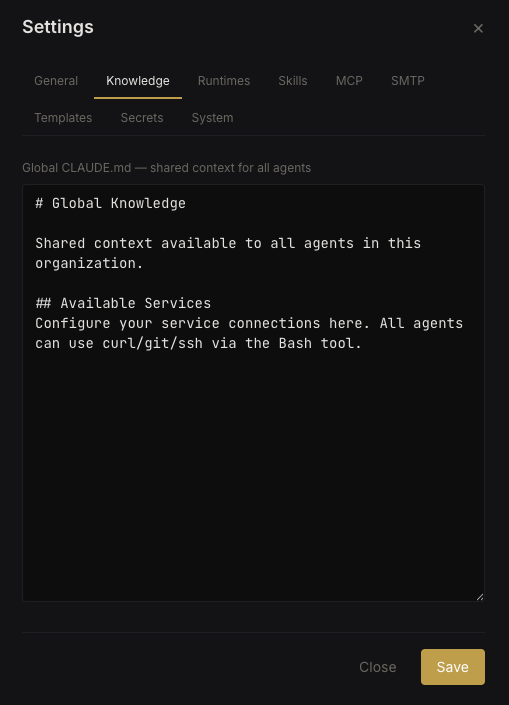 Global knowledge editor
This is separate from agent-specific CLAUDE.md files. Both are injected — global first, then agent-specific.
Runtimes#
View detected CLI runtimes, their versions, authentication status, and available models.
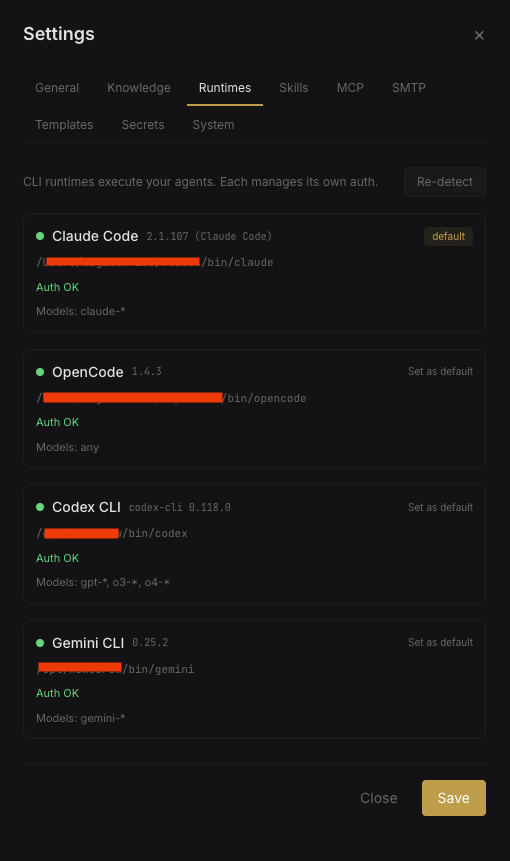 Runtime management
- Re-detect — rescan for CLI binaries after installing new runtimes
- Set default — choose the org default runtime
- Each runtime shows its auth status and supported model list
SMTP & IMAP#
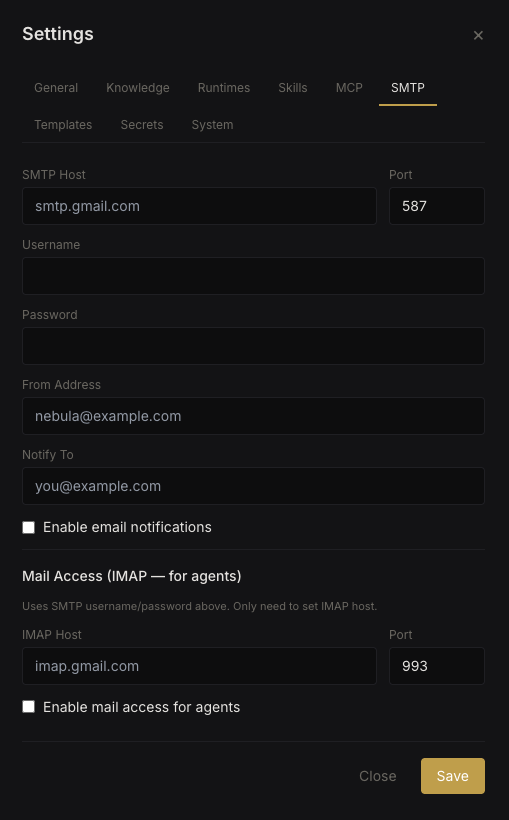 SMTP and IMAP configuration
SMTP (Email Notifications)#
Configure outgoing email for task result notifications and agent error alerts:
| Setting | Purpose |
|---|---|
| SMTP host | Mail server hostname |
| SMTP port | Mail server port |
| SMTP user / password | Authentication credentials |
| From address | Sender email address |
| Notification recipient | Where to send task results |
| Notifications enabled | Master toggle |
IMAP (Incoming Mail)#
Configure incoming mail processing:
| Setting | Purpose |
|---|---|
| IMAP host | Mail server hostname |
| IMAP port | Mail server port |
| IMAP user / password | Authentication credentials |
| Mail enabled | Master toggle |
When enabled, agents can read incoming emails via the nebula-mail built-in skill.
System & Cleanup#
The System tab shows server uptime and manages automated cleanup of stale sessions, abandoned worktrees, and dreaming process artifacts.
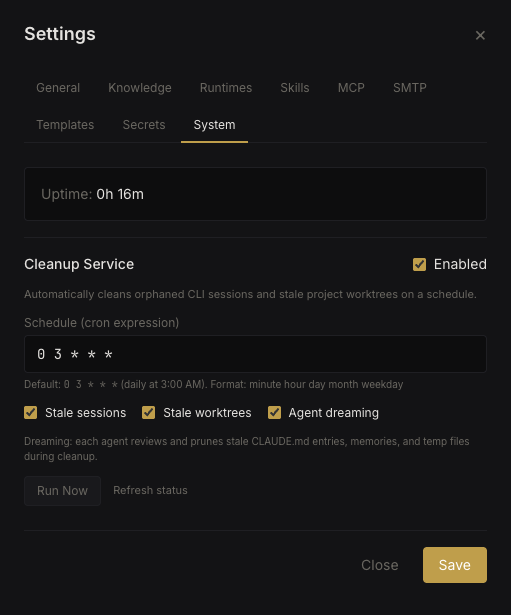 System and cleanup settings
| Setting | Purpose |
|---|---|
| Cleanup enabled | Master toggle |
| Cleanup schedule | Cron expression for when cleanup runs |
| Clean sessions | Remove old agent CLI sessions |
| Clean worktrees | Remove abandoned git worktrees |
| Clean dreaming | Remove background process artifacts |
You can also trigger cleanup manually from this tab.
Multi-Organization Support#
Each user can own multiple organizations. Switch between them using the org switcher in the sidebar.
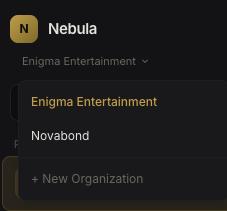 Org switcher
Organizations are fully isolated — agents, settings, secrets, and data are scoped per org with no cross-contamination.