Templates#
Templates let you export an entire organization configuration as a reusable JSON package and import it to bootstrap new organizations.
What's in a Template#
A template captures:
- Agent definitions (names, roles, models, configurations)
- Custom skills (org-wide and agent-specific)
- MCP server configurations
- Task definitions (cron schedules, prompts)
- Organization settings
Templates do not include:
- Conversation history or messages
- Secrets vault values (only keys)
- Memory content
- Vault files
Exporting a Template#
Navigate to Settings → Templates and click Export. Nebula packages your current org configuration into a JSON file.
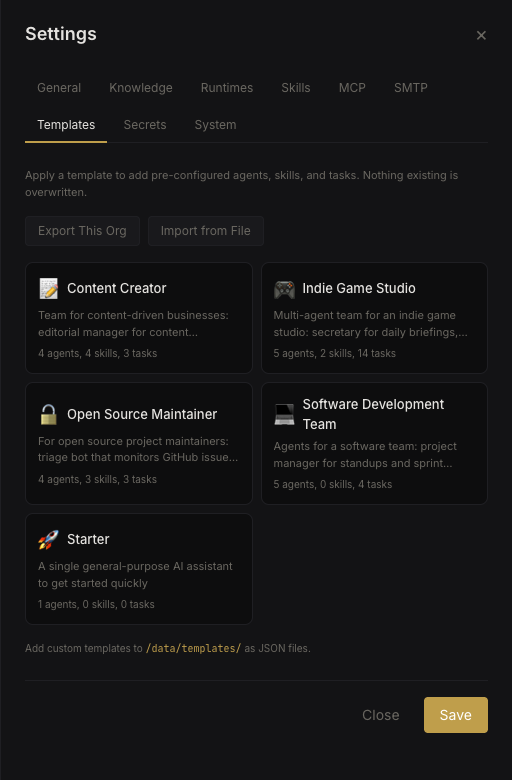 Template export
This is useful for:
- Sharing your setup with others
- Creating a baseline for new organizations
- Backing up configuration separately from data
Importing a Template#
Click Import and select a template JSON file. The template is applied to your current organization, creating agents, skills, and tasks as defined.
Note: Importing a template adds to your existing configuration — it doesn't replace it. Existing agents and skills are preserved.
Built-in Templates#
Nebula ships with built-in templates (stored in the templates/ directory). During first-time setup, the setup wizard applies the starter template which creates a single agent to get you started.
Browse available templates in Settings → Templates to see what's available.
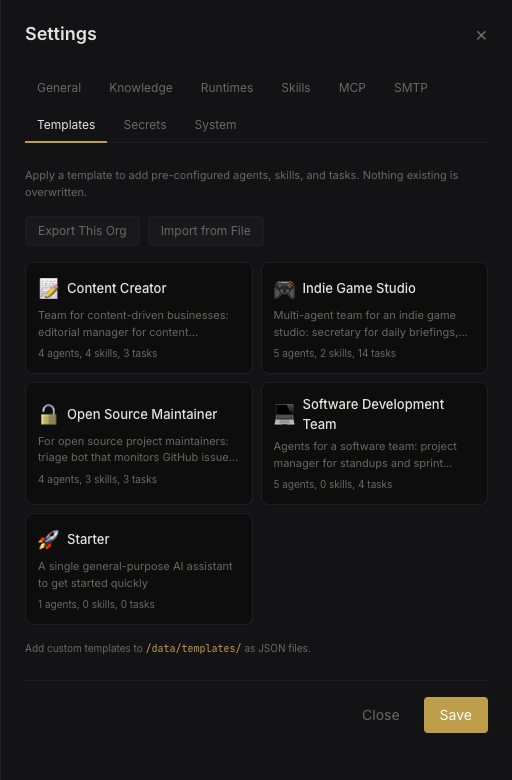 Template browser