Custom Skills#
Custom skills teach agents how to interact with external services — APIs, workflows, coding standards, or anything else you can describe in text. Skills are injected into the agent's context on every execution.
How Skills Work#
A skill is a block of markdown content that gets added to the agent's system prompt. It typically contains:
- Instructions for the agent
- API endpoint examples with authentication
- Workflow steps
- Coding conventions or rules
Skills are written through the UI — no file editing required.
Scope Levels#
Skills exist at two levels:
| Scope | Visible to | Managed in |
|---|---|---|
| Org-wide | All agents in the organization | Settings → Skills |
| Agent-specific | Only that agent | Agent Settings → Skills |
Agent-specific skills and org-wide skills are listed together in the agent's skill tab, with scope clearly labeled.
Org-wide skills (Settings → Skills):
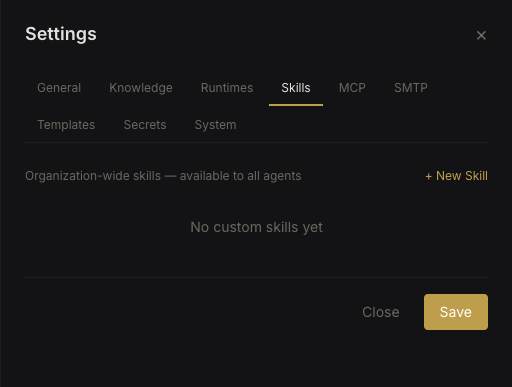 Org-wide skills
Agent-specific skills (Agent Settings → Skills):
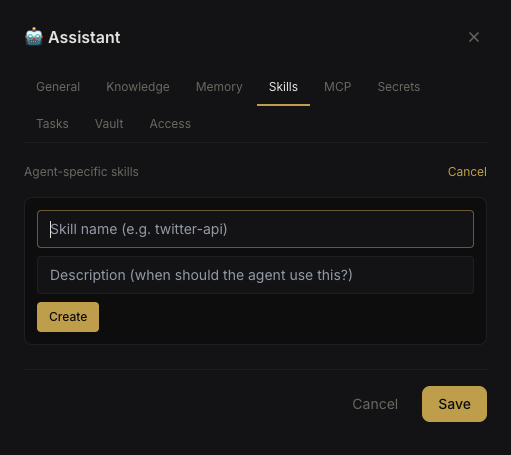 Agent skill editor
Creating a Skill#
- Navigate to Settings → Skills (org-wide) or Agent Settings → Skills (agent-specific)
- Click New Skill
- Fill in:
- Name — unique identifier
- Content — markdown instructions for the agent
- Toggle Enabled to activate
Secret Interpolation#
Skills can reference secrets from the Secrets Vault using {{SECRET_NAME}} syntax. At runtime, Nebula replaces these placeholders with the actual secret values before injecting the skill into the agent's context.
## Gitea API Access

Base URL: https://gitea.example.com/api/v1
Authentication: Token {{GITEA_TOKEN}}

To list repositories:
curl -H "Authorization: token {{GITEA_TOKEN}}" {{GITEA_URL}}/api/v1/repos/search
The skill editor shows which secrets are referenced and whether they exist in the vault.
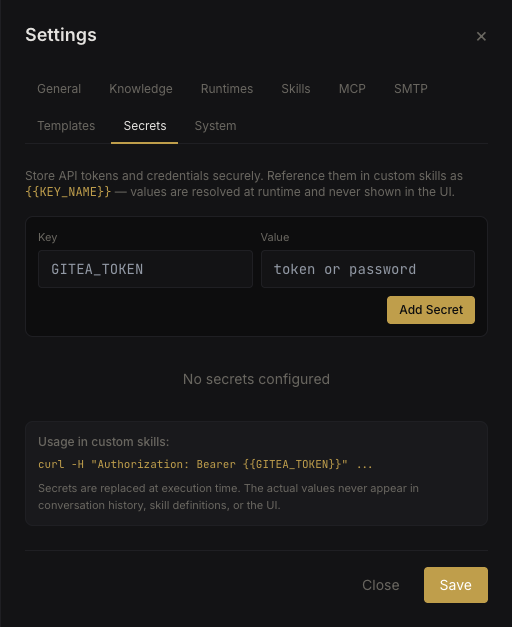 Secret reference validation
Important: A skill cannot be enabled if it references secrets that don't exist. Create the secrets first, then enable the skill.
Enable / Disable#
Each skill has an enable/disable toggle. Disabled skills are not injected into the agent's context. This lets you keep skills defined but inactive without deleting them.
Built-in Skills#
Nebula includes built-in skills that are automatically available:
- nebula-tasks — cron and webhook task management
- nebula-mail — IMAP/SMTP email integration
- nebula-agents — peer agent awareness and routing
- nebula-memory — persistent knowledge read/write/search
- nebula-coding-conventions — coding best practices
Built-in skills are injected based on context — for example, nebula-memory provides read-only operations when running in a task context.