Secrets Vault#
Nebula provides a write-only secrets vault for storing credentials, API keys, and other sensitive values. Secrets are encrypted at rest (AES-256) and never displayed in the UI after creation.
Two Scopes#
| Scope | Available to | Managed in |
|---|---|---|
| Org secrets | All agents and skills in the org | Settings → Secrets |
| Agent secrets | Only that specific agent | Agent Settings → Secrets |
Agent secrets override org secrets with the same key. This lets you give individual agents their own credentials — for example, separate Gitea tokens so each agent commits under its own identity.
Org secrets (Settings → Secrets):
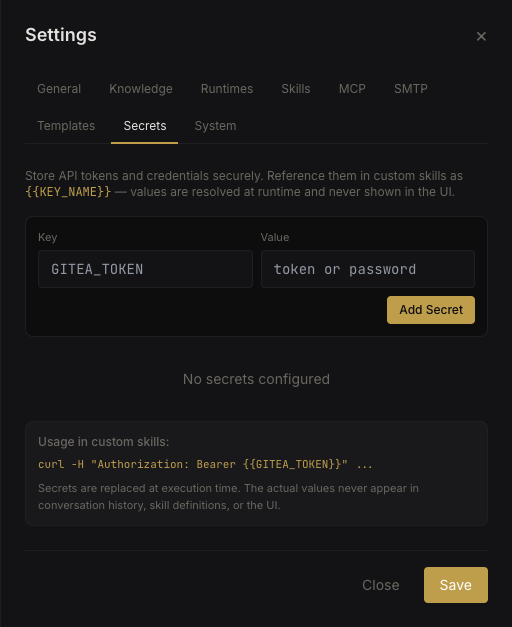 Org secrets vault
Agent secrets (Agent Settings → Secrets):
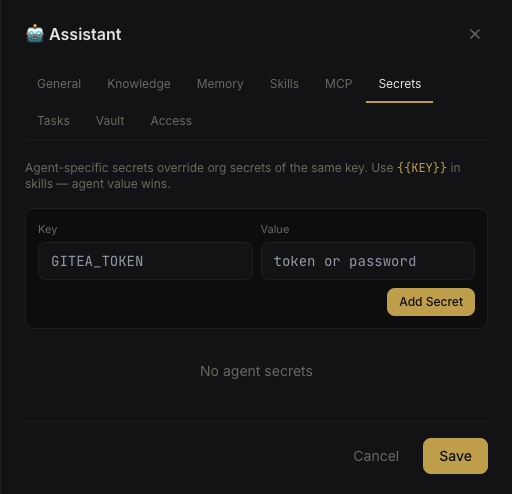 Agent secrets
Creating a Secret#
- Navigate to Settings → Secrets (org) or Agent Settings → Secrets (agent)
- Click Add Secret
- Enter a key (auto-uppercased and sanitized) and value
- The value is encrypted and stored — you'll only see
••••••••from this point on
To update a secret, create a new one with the same key. It overwrites the previous value.
Using Secrets#
Secrets are referenced as {{SECRET_NAME}} in two places:
- Custom Skills — API tokens, URLs, credentials in skill content
- MCP Servers — environment variables and HTTP headers in MCP config
At runtime, Nebula interpolates the placeholders with actual values before passing content to the agent.
Deletion Guards#
You cannot delete a secret that is currently referenced by an enabled skill or MCP server. Nebula tracks references and blocks deletion with a clear error message showing which skills or MCP configs use the secret.
Disable or update the referencing skill/MCP config first, then delete the secret.
Security Model#
- Values are encrypted at rest using AES-256 with the
NEBULA_ENCRYPTION_KEYenvironment variable - Values are never returned by any API endpoint after creation — the API only returns secret keys, never values
- Values are interpolated server-side just before execution — they never appear in frontend code
- Agent-scoped secrets let you isolate credentials per agent for auditability