MCP Servers#
MCP (Model Context Protocol) servers expose external tool APIs to agents at runtime. Nebula supports configuring MCP servers at both the org and agent level.
What MCP Does#
An MCP server provides tools that the agent's CLI runtime can call during execution. For example, an MCP server might expose:
- Database query tools
- File system access on a remote machine
- API wrappers for third-party services
- Browser automation
The CLI runtime (Claude Code, OpenCode, etc.) connects to the MCP server and discovers available tools automatically.
Scope Levels#
| Scope | Inherited by | Managed in |
|---|---|---|
| Org-wide | All agents in the organization | Settings → MCP |
| Agent-specific | Only that agent | Agent Settings → MCP |
Org-wide and agent-specific servers are listed together in the agent's MCP tab with their scope indicated.
Org-wide MCP servers (Settings → MCP):
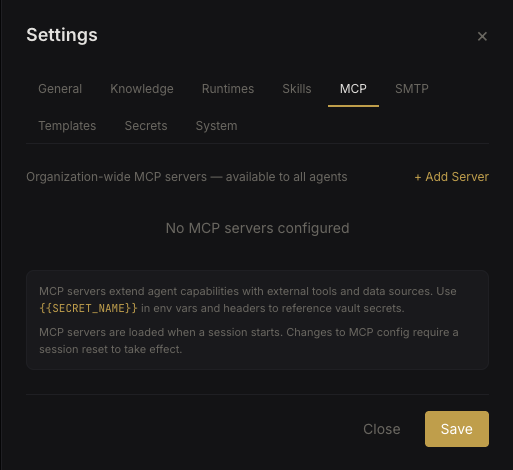 Org-wide MCP servers
Agent-specific MCP servers (Agent Settings → MCP):
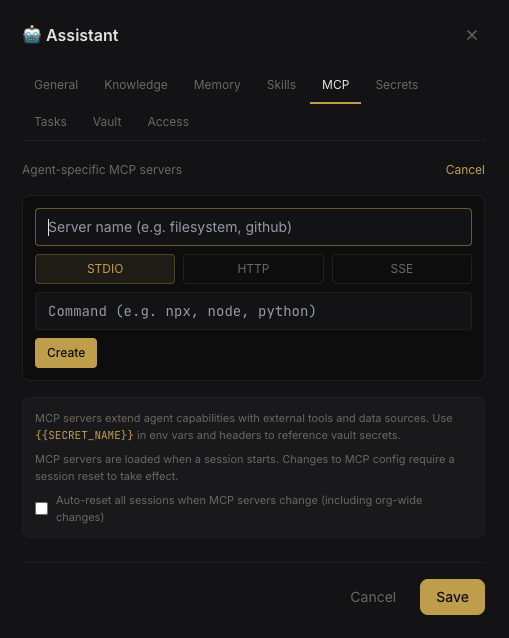 Agent MCP configuration
Supported Transports#
| Transport | Config Required | Use Case |
|---|---|---|
| stdio | command, optional args and env | Local process — Nebula spawns the server |
| http | url, optional headers | Remote HTTP endpoint |
| sse | url, optional headers | Server-Sent Events stream |
Creating an MCP Server#
- Navigate to Settings → MCP (org-wide) or Agent Settings → MCP (agent-specific)
- Click New MCP Server
- Fill in:
- Name — identifier
- Transport — stdio, http, or sse
- Config — transport-specific fields (command, URL, env vars, headers)
- Toggle Enabled to activate
Example: stdio server#
{
  "command": "npx",
  "args": ["-y", "@modelcontextprotocol/server-filesystem", "/data"],
  "env": {}
}
Example: HTTP server#
{
  "url": "http://localhost:3001/mcp",
  "headers": {
    "Authorization": "Bearer {{MCP_API_KEY}}"
  }
}
Secret Interpolation#
MCP configs support {{SECRET_NAME}} placeholders in environment variables and headers. Secrets are resolved from the Secrets Vault at runtime.
Auto-Reset on Change#
When MCP configuration changes (enable/disable/modify), agents with the MCP auto-reset flag will automatically have their CLI session reset. This ensures the runtime picks up the new MCP configuration.
Configure this per agent in Agent Settings → General → MCP auto-reset.
How MCP Configs Are Passed to Runtimes#
| Runtime | MCP Config Method |
|---|---|
| Claude Code | --mcp-config <path> (JSON file) |
| OpenCode | mcp key in opencode.json config file |
| Codex CLI | Inline config |
| Gemini CLI | Inline config |
Remote Agents#
MCP configs are synced to remote agents via WebSocket on every execution. The remote machine receives the full MCP configuration so it can connect to the specified servers.
Note: For stdio-transport MCP servers, the command must be available on whichever machine the agent runs on — the Nebula server for local agents, or the remote machine for remote agents.